Contact Center Quality Management System PRD Template
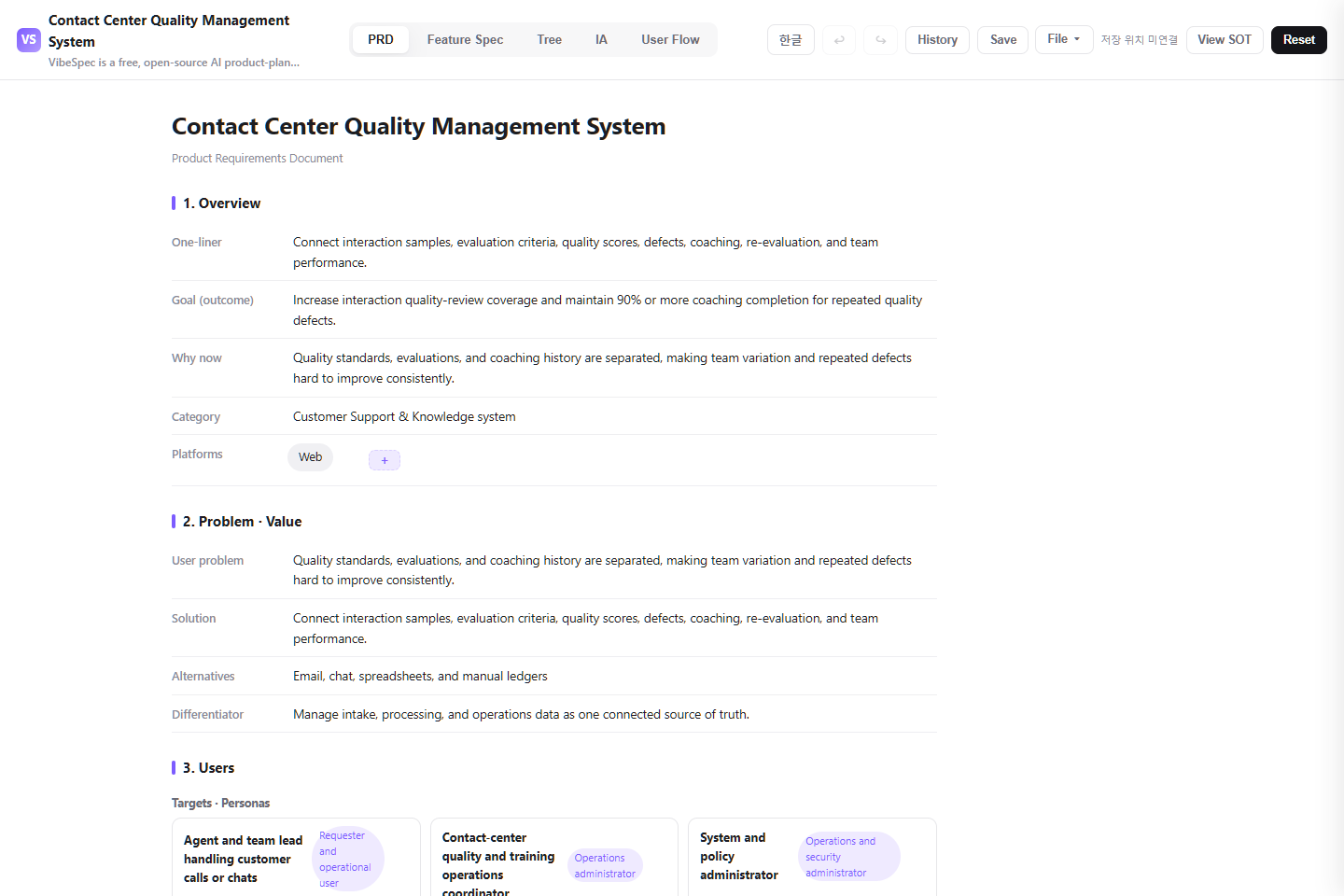
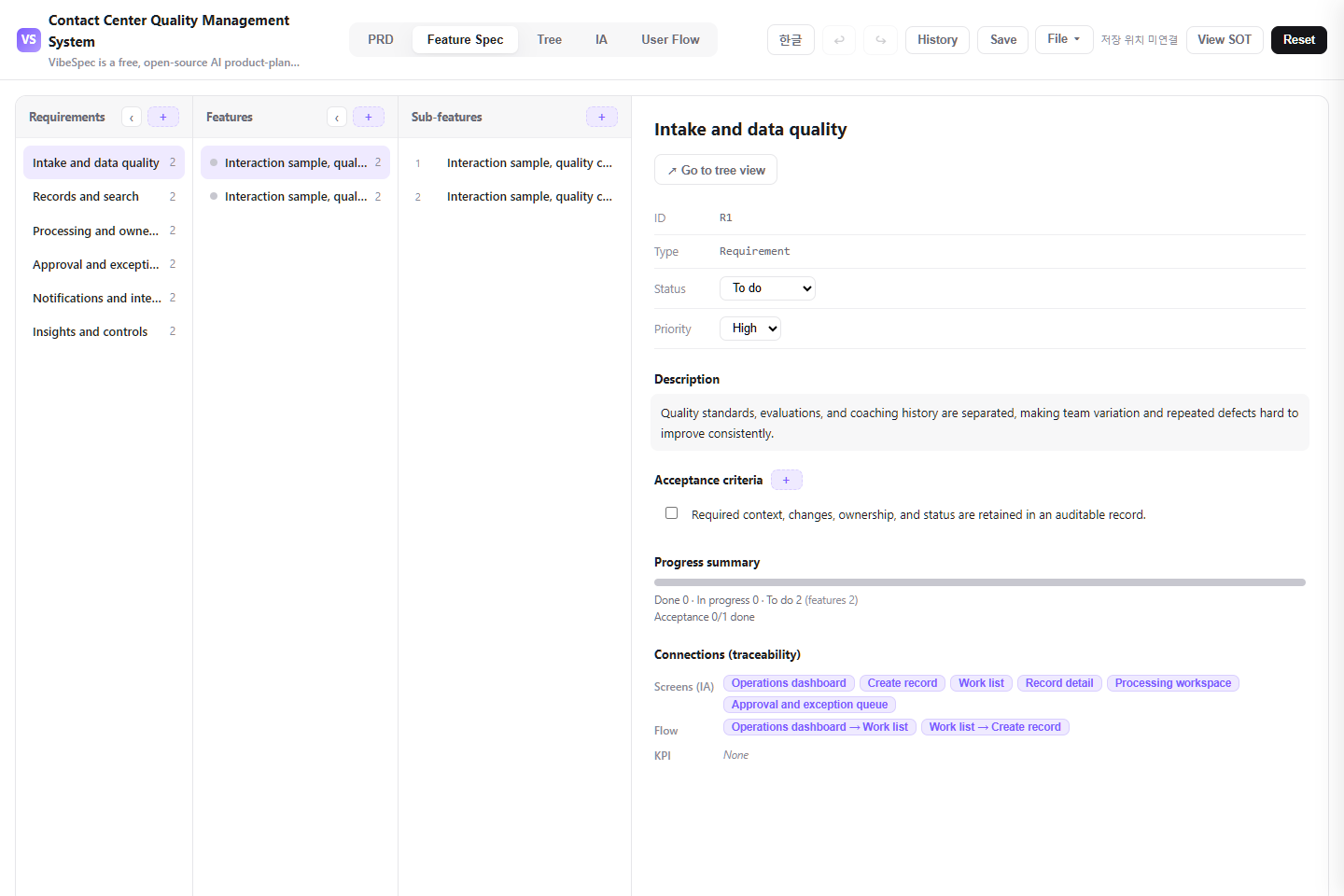
A real SOT-based Contact Center Quality Management System PRD template connecting interaction sample, quality criterion, and coaching-request registration, interaction record, evaluation, defect, coaching, and improvement-history lookup, sample selection, evaluation, calibration, feedback, coaching, and re-evaluation handling, quality score, defect type, coaching completion, channel, and team reporting.
Teams designing an internal operations system for agent and team lead handling customer calls or chats and contact-center quality and training operations coordinator
CONTENTS
What the template includes
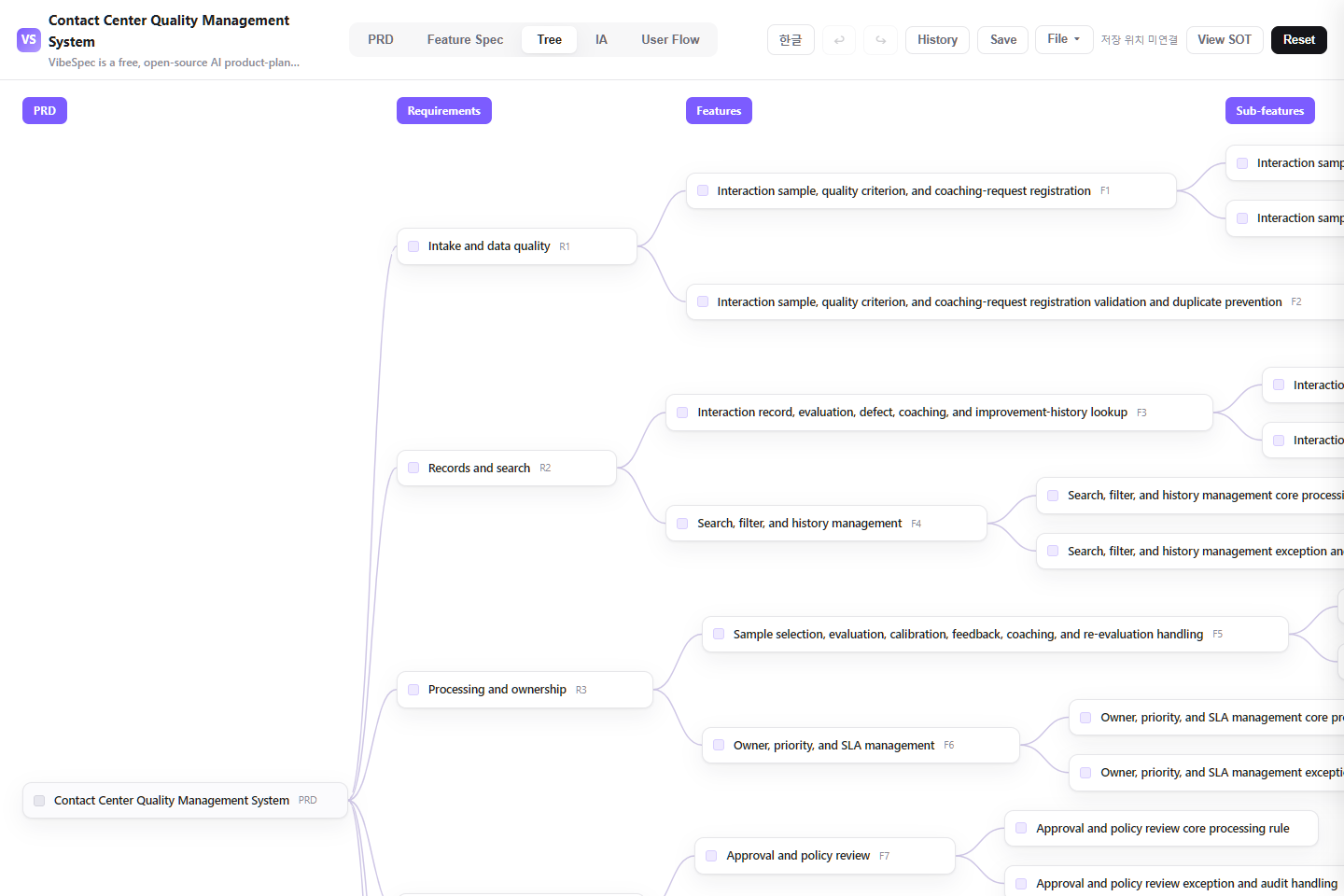
Interaction sample, quality criterion, and coaching-request registration
Interaction record, evaluation, defect, coaching, and improvement-history lookup
Sample selection, evaluation, calibration, feedback, coaching, and re-evaluation handling
Quality score, defect type, coaching completion, channel, and team reporting
VIBESPEC VIEWER
See the plan in VibeSpec
Each screen is generated from the public SOT included with this template.
How to use and adapt this Contact Center Quality Management System
This Contact Center Quality Management System connects interaction sample, quality criterion, and coaching-request registration, interaction record, evaluation, defect, coaching, and improvement-history lookup, sample selection, evaluation, calibration, feedback, coaching, and re-evaluation handling, and quality score, defect type, coaching completion, channel, and team reporting in one SOT-based planning document. Use the complete HTML to review and share the plan, then adapt the SOT JSON with the VibeSpec plugin in Claude or Codex.
What this Contact Center Quality Management System actually includes
Interaction sample, quality criterion, and coaching-request registration
For interaction sample, quality criterion, and coaching-request registration, define the required context, classification rules, and duplicate or missing-data checks before work enters the operating queue.
Interaction record, evaluation, defect, coaching, and improvement-history lookup
For interaction record, evaluation, defect, coaching, and improvement-history lookup, keep status, owner, priority, and change history together so the team can find the complete operating context.
Sample selection, evaluation, calibration, feedback, coaching, and re-evaluation handling
In sample selection, evaluation, calibration, feedback, coaching, and re-evaluation handling, connect assignment, approval or rejection, exception handling, and completion confirmation as one accountable workflow.
Quality score, defect type, coaching completion, channel, and team reporting
Use quality score, defect type, coaching completion, channel, and team reporting to track due dates, bottlenecks, exceptions, and completion outcomes by team, period, and operating category.
Policy, access, and integration foundations
Set the role-based access, audit history, notifications, and external-system boundaries that Contact Center Quality Management System needs to operate safely.
Start in three steps, even without planning experience
1. Review the complete HTML with your team
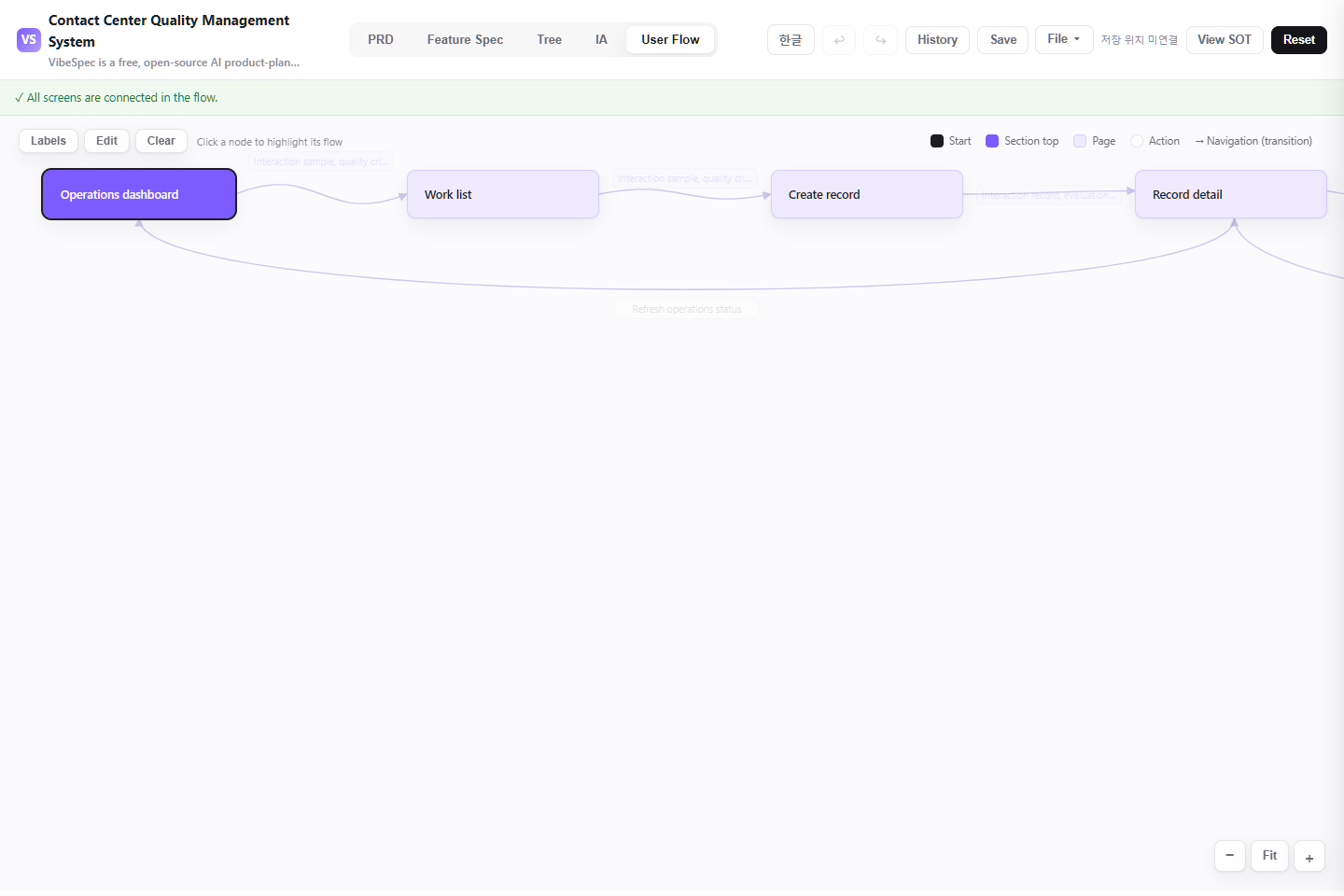
The download opens in a browser without setup. Compare the PRD, feature specification, screen structure, and user flow with the work your team does today.
2. Name your operating rules
Write down real user roles, required data, approval rules, exceptions, and success metrics. Start with the core flow from interaction sample, quality criterion, and coaching-request registration through sample selection, evaluation, calibration, feedback, coaching, and re-evaluation handling.
3. Give the SOT JSON to VibeSpec
Attach the SOT JSON in Claude or Codex with the VibeSpec plugin and describe the change in plain language. VibeSpec keeps requirements, features, screens, and user flows connected.
Adapt this Contact Center Quality Management System for your team
Rename terms and states first
Replace the template vocabulary, states, and classification with the terms your team uses. Keep interaction sample, quality criterion, and coaching-request registration and interaction record, evaluation, defect, coaching, and improvement-history lookup consistent.
Make roles, approvals, and exceptions explicit
Define who registers, reviews, approves, processes, and confirms completion, plus the conditions that trigger rejection or reprocessing in sample selection, evaluation, calibration, feedback, coaching, and re-evaluation handling.
Keep screens, metrics, and integrations connected
Decide what quality score, defect type, coaching completion, channel, and team reporting should measure, then connect any SSO, messaging, or adjacent-system integration to the related screens and user flow.
Capabilities to add next
Automation and notifications
Create a separate Contact Center Quality Management System initiative for due-date alerts, owner assignment, approval reminders, and exception follow-up.
External-system integrations
Before connecting Contact Center Quality Management System to source data or adjacent systems, define synchronization cadence, failure handling, access boundaries, and audit records.
Operations analytics
Extend Contact Center Quality Management System with team, period, and category analysis plus action rules for deteriorating completion or service levels.
Prompts you can use with VibeSpec
Adapt it to our terminology and roles
Adapt this Contact Center Quality Management System for our team. Ask about our user roles, states, required fields, and approval steps first, then update the requirements, screens, and user flows together.
Simplify it into an MVP
Reduce this Contact Center Quality Management System to an MVP that keeps interaction sample, quality criterion, and coaching-request registration, interaction record, evaluation, defect, coaching, and improvement-history lookup, and sample selection, evaluation, calibration, feedback, coaching, and re-evaluation handling. Move automation and external integrations into separate initiatives.
Add operations automation
Create a separate initiative on top of this Contact Center Quality Management System for due-date alerts and automatic owner assignment. Keep the connection to the existing screens and user flow.
Contact Center Quality Management System FAQ
Can I use this template without development experience?
Yes. The complete HTML opens in a browser for review and sharing. To adapt the plan, attach the SOT JSON to Claude or Codex with the VibeSpec plugin and describe the change in plain language.
What is included in this planning template?
It includes interaction sample, quality criterion, and coaching-request registration, interaction record, evaluation, defect, coaching, and improvement-history lookup, sample selection, evaluation, calibration, feedback, coaching, and re-evaluation handling, and quality score, defect type, coaching completion, channel, and team reporting, plus foundations for access, audit history, notifications, and integrations.
What is the difference between the HTML and SOT JSON downloads?
The HTML is a complete planning document for reading and sharing. The SOT JSON is source data that VibeSpec can update while keeping requirements, features, screens, and user flows connected.
How should I add a new capability?
For a discrete capability such as automation, integration, or additional analytics, create and review a separate initiative before changing the product plan broadly.
WORKFLOW
Use it with VibeSpec
Open the complete HTML file to review or share it immediately.
Download the SOT JSON and load it in the VibeSpec viewer.
Adapt the features, screens, and flows for your team.