See the connected scope
Requirements, features, screens, and user flows stay in one SOT, so you know which context belongs in the next AI request.
AI PRODUCT PLANNING
VibeSpec is a free, open-source AI product-planning plugin for Claude and Codex.
Describe the workflow you want to build. Review the PRD, feature specs, and screen structure, then give AI the agreed planning file with your implementation or change request.
FROM REQUEST TO REVIEW
Go beyond a feature list: decide who does what, and under which conditions.
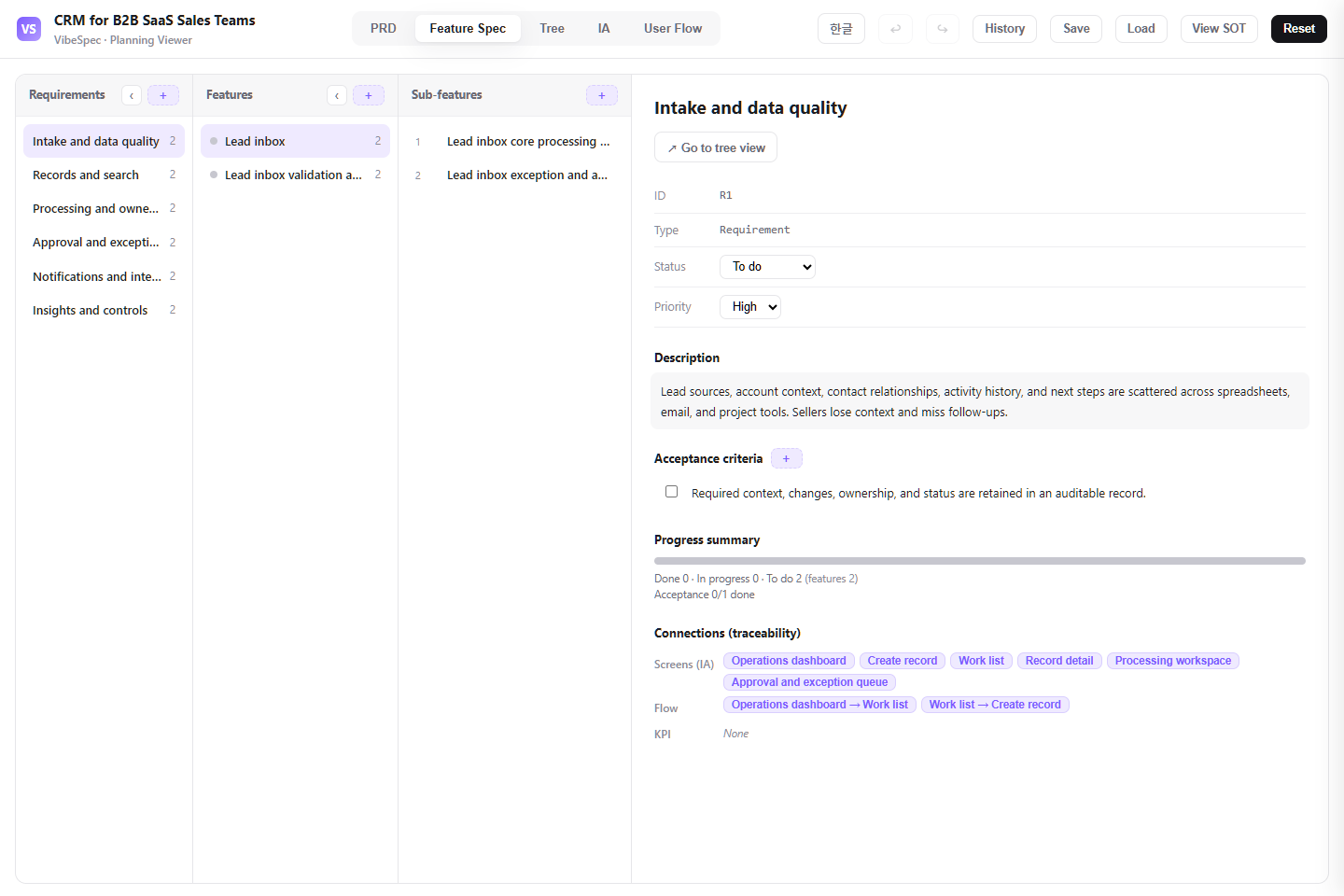 Open the CRM planning screen
 WHY VIBESPEC
A convincing screen can still leave ownership and exceptions undefined. Before requesting code, review the same plan with your team and identify the open decisions and scope of the change.
Requirements, features, screens, and user flows stay in one SOT, so you know which context belongs in the next AI request.
Review what a change touches across features, screens, and flows, then ask AI for the scoped update you actually need.
KPI Measurement Check shows missing evidence and decisions, then provides a handoff request for resolving them with AI.
HOW IT WORKS
Describe the product you want to build or begin with a real-world template.
Create one SOT with a PRD, feature specs, information architecture, and user flows.
Use the HTML viewer to inspect the screens and connections, then make the needed edits.
Attach the updated SOT to Claude or Codex for the next scoped request.
LIVE PRODUCT DEMOS
Explore work under review versus release scope, an unresolved KPI decision, and a measurement-ready example in the latest public demos.
01 · CHANGE REVIEW
In Neighborly, the review workspace includes proposed work while the integrated release view keeps only the approved scope.
Open change-review demo02 · OPEN KPI DECISION
See the CRM measurement gap, the decision it needs, and the handoff request that applies it through Claude or Codex.
Open KPI decision demo03 · MEASUREMENT READY
See how the WeekChef demo connects KPI evidence with its events, features, and screens.
Open ready-plan demoSTART WITH A FREE TEMPLATE
Explore the three latest system planning templates. Each includes a free PRD, editable SOT, and HTML planning viewer—not a ready-to-run application.
FREE SOT TEMPLATE
Define technical-debt evidence, priority, ownership, remediation scope, and the criteria for validating or reopening work.
View templateFREE SOT TEMPLATE
Connect hypotheses, audience assignment, exposure tracking, metrics, and guardrails to clear launch-or-stop decisions.
View templateFREE SOT TEMPLATE
Define producer and consumer responsibilities, schema compatibility, quality breaches, and approval or rollback decisions.
View templateOPEN SOURCE · FREE TO USE
VibeSpec is free and open source. Start with a template or install the plugin to create the SOT for your own product.