Contract request and document intake
Capture contract type, counterparty, owner, commercial context, template, key dates, documents, and the review route before negotiation begins.
FREE CLAUDE & CODEX PLUGIN TEMPLATE
A real SOT-based Contract Management System PRD template connecting contract request and document registration, contract state, terms, and expiry lookup, review, approval, negotiation history, and signature management, expiry, renewal, and contract-risk reporting.
View source on GitHub · MIT licensed
USE CASE
Teams designing an internal operations system for business or procurement requester and legal and procurement contract operator
CONTENTS
VIBESPEC VIEWER
Each screen is generated from the public SOT included with this template.
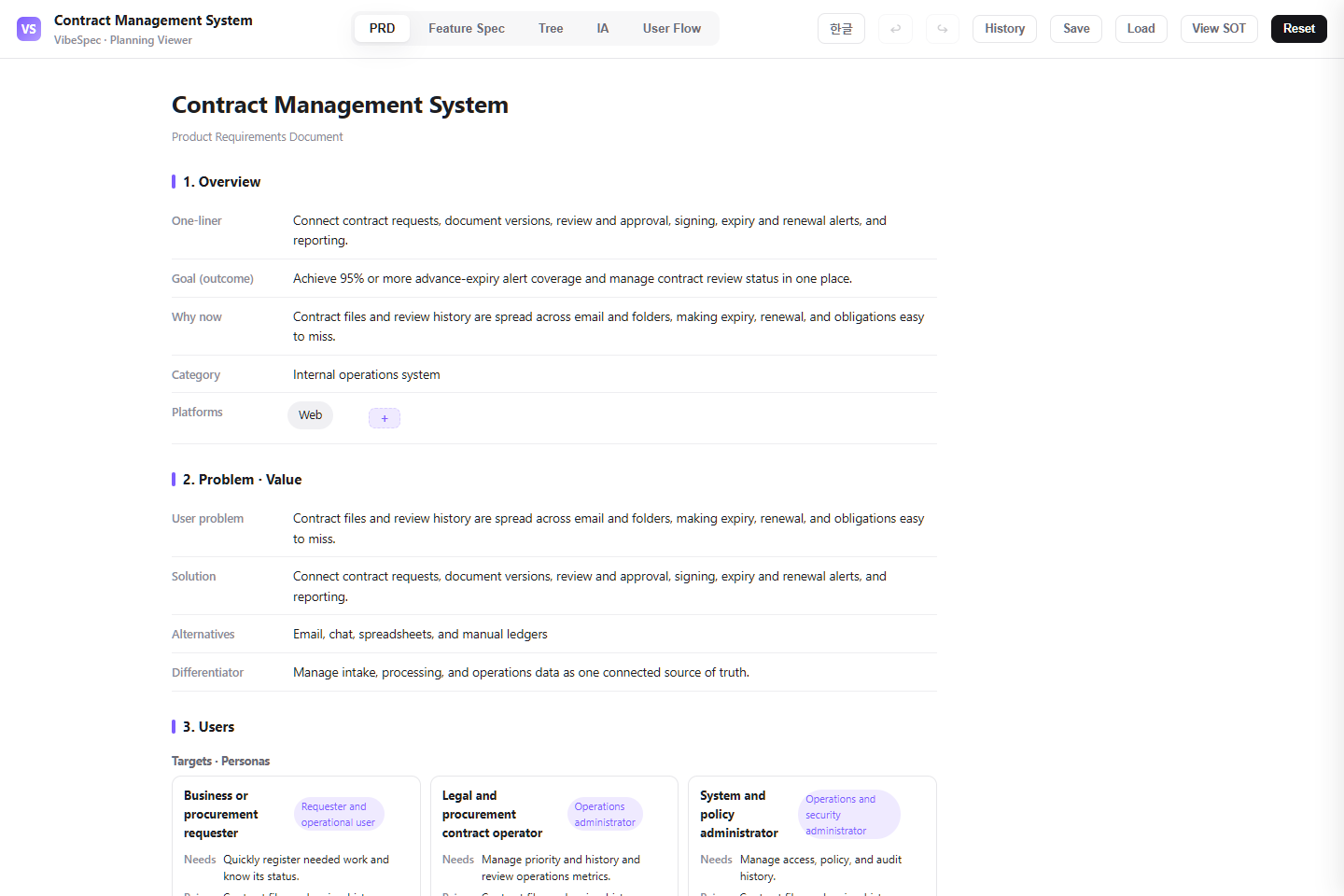 Open this screen in the live demo
 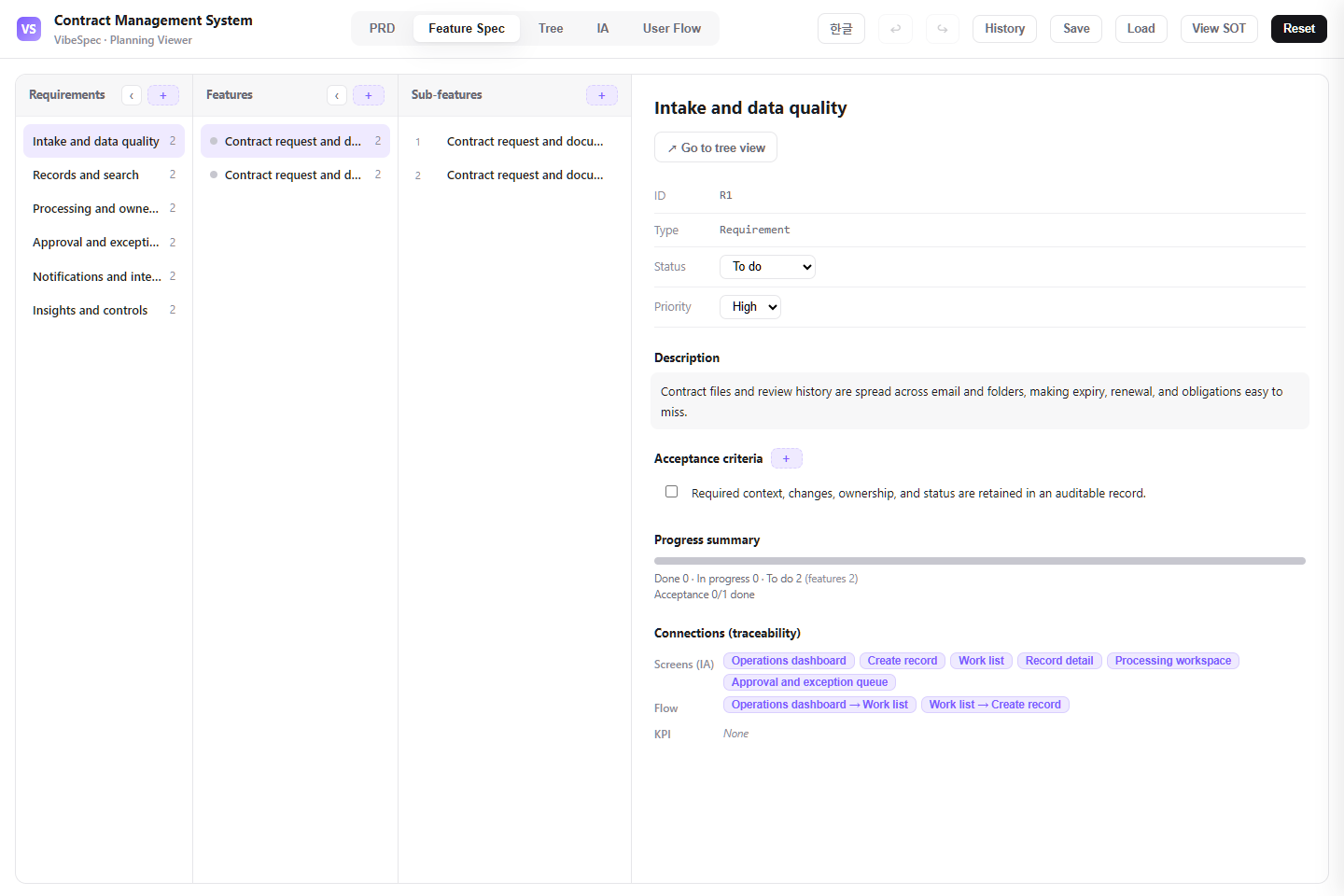 Open this screen in the live demo
 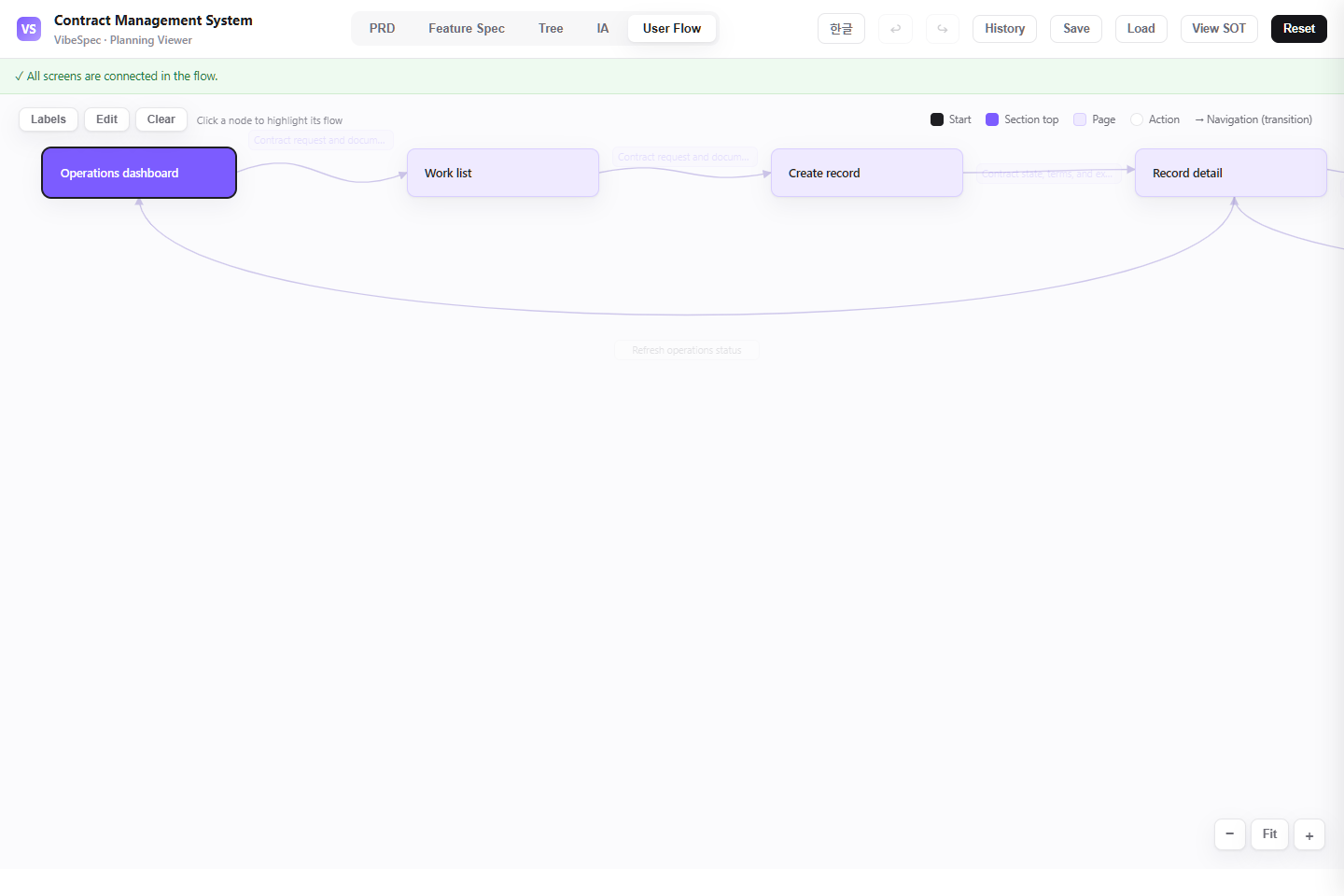 Open this screen in the live demo
 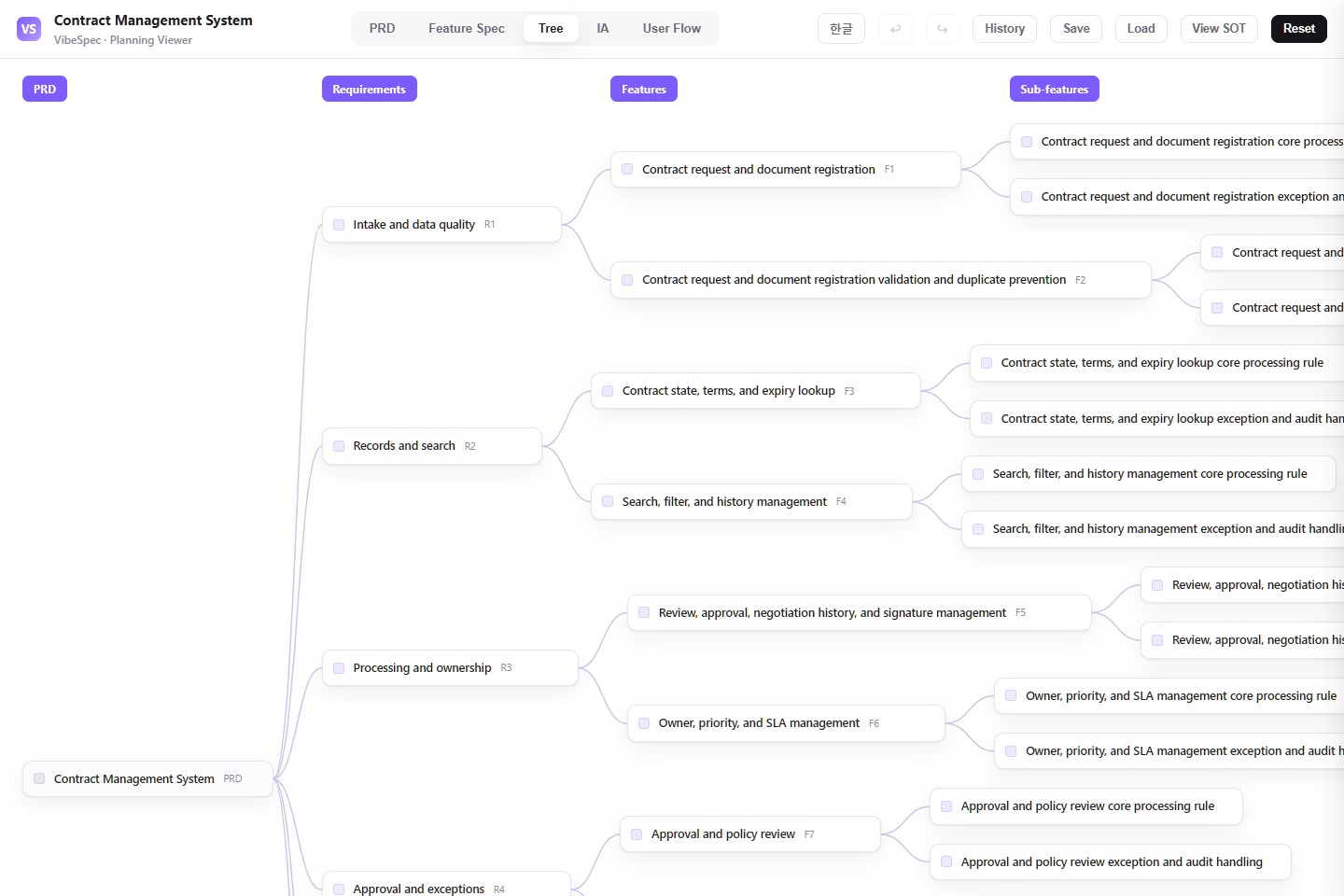 Open this screen in the live demo
 PRACTICAL GUIDE
A contract record is useful only when request context, terms, review decisions, negotiation history, signature status, obligations, and renewal timing can be reviewed together. This SOT plans that lifecycle for legal, procurement, and business owners.
Capture contract type, counterparty, owner, commercial context, template, key dates, documents, and the review route before negotiation begins.
Keep proposed terms, redlines, comments, counterpart responses, and the decision record connected rather than scattering them across email attachments.
Route business, finance, legal, and executive approval, track signature completion, and make post-signature obligations and owners visible.
Show contracts approaching notice dates, renewal decisions, missing signatures, high-risk clauses, and obligations that still need action.
The download opens in a browser without setup. Compare the PRD, feature specification, screen structure, and user flow with the work your team does today.
Define contract types, approved templates, signatory authority, mandatory reviewers, notice periods, and what counts as a material clause deviation.
Attach the SOT JSON in Claude or Codex with the VibeSpec plugin and describe the change in plain language. VibeSpec keeps requirements, features, screens, and user flows connected.
Map agreement types and monetary or risk thresholds to the right template, reviewer, and signer before building a generic approval queue.
Decide which redlines, comments, and external emails must be retained and who may accept a deviation from standard language.
Assign a renewal owner and decision deadline early enough to meet notice periods; do not rely on a calendar reminder without contract context.
Add approved fallback language, deviation guidance, and clause-level risk review as a separately governed initiative.
Define envelope ownership, signer identity checks, reminders, decline handling, and signed-copy retention before connecting a signature provider.
Extend the plan with deliverables, service credits, compliance evidence, and review dates tied to each executed agreement.
Adapt this contract-management plan for our organization. Ask about agreement types, templates, authority limits, legal review triggers, signature rules, and renewal notice periods; then update the SOT together.Reduce this contract system to request intake, document upload, legal review, approval, signature status, and renewal reminders. Move clause playbooks and vendor performance into later initiatives.Create an e-signature initiative on top of this contract plan with envelope creation, signer order, reminders, decline handling, signed-copy storage, and the handoff back to contract status.Yes. The complete HTML opens in a browser for review and sharing. To adapt the plan, attach the SOT JSON to Claude or Codex with the VibeSpec plugin and describe the change in plain language.
It includes contract intake, documents and terms, review and negotiation history, approval and signature tracking, obligations, and reporting for expiry, renewal, and contract risk.
The HTML is a complete planning document for reading and sharing. The SOT JSON is source data that VibeSpec can update while keeping requirements, features, screens, and user flows connected.
For a discrete capability such as automation, integration, or additional analytics, create and review a separate initiative before changing the product plan broadly.
WORKFLOW