New-hire profile and preboarding plan
Capture start date, role, location, manager, employment details, required documents, and the onboarding journey that applies to the hire.
FREE CLAUDE & CODEX PLUGIN TEMPLATE
A real SOT-based Employee Onboarding Management System PRD template connecting new-hire profile and onboarding task setup, onboarding progress and required-document lookup, team task assignment and completion verification, onboarding completion reporting by hire and department.
View source on GitHub · MIT licensed
USE CASE
Teams designing an internal operations system for new hire and hr and people operations coordinator
CONTENTS
VIBESPEC VIEWER
Each screen is generated from the public SOT included with this template.
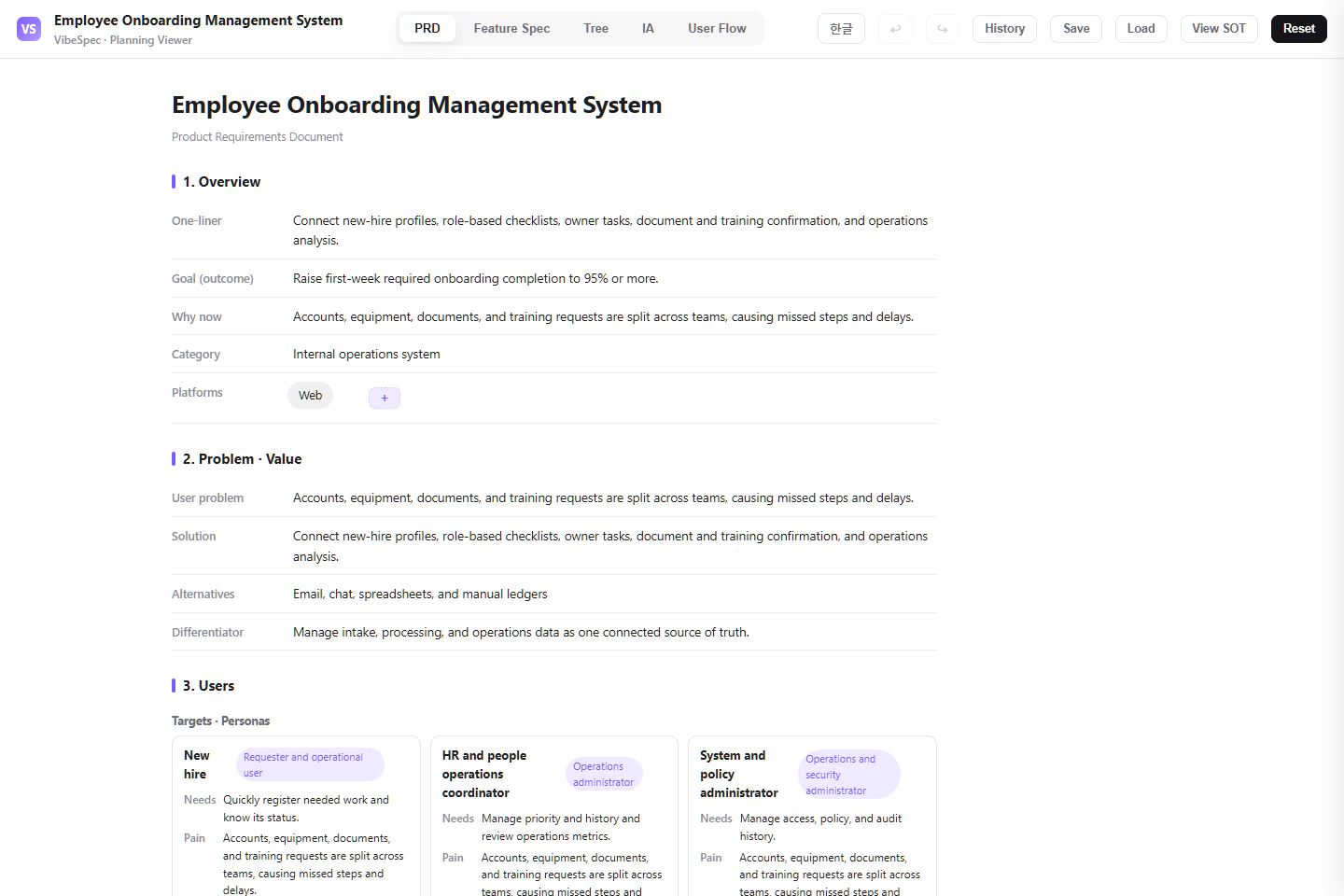 Open this screen in the live demo
 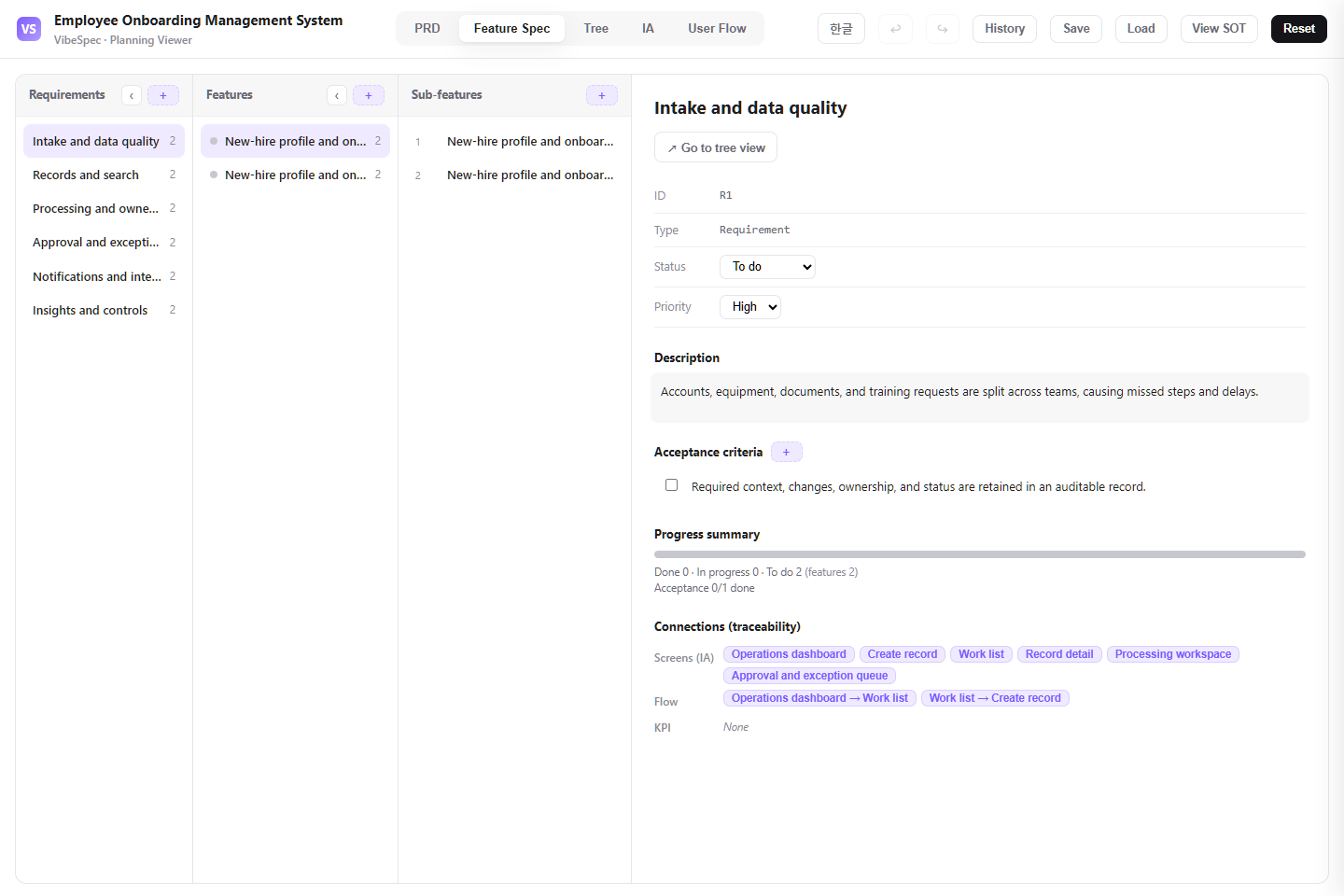 Open this screen in the live demo
 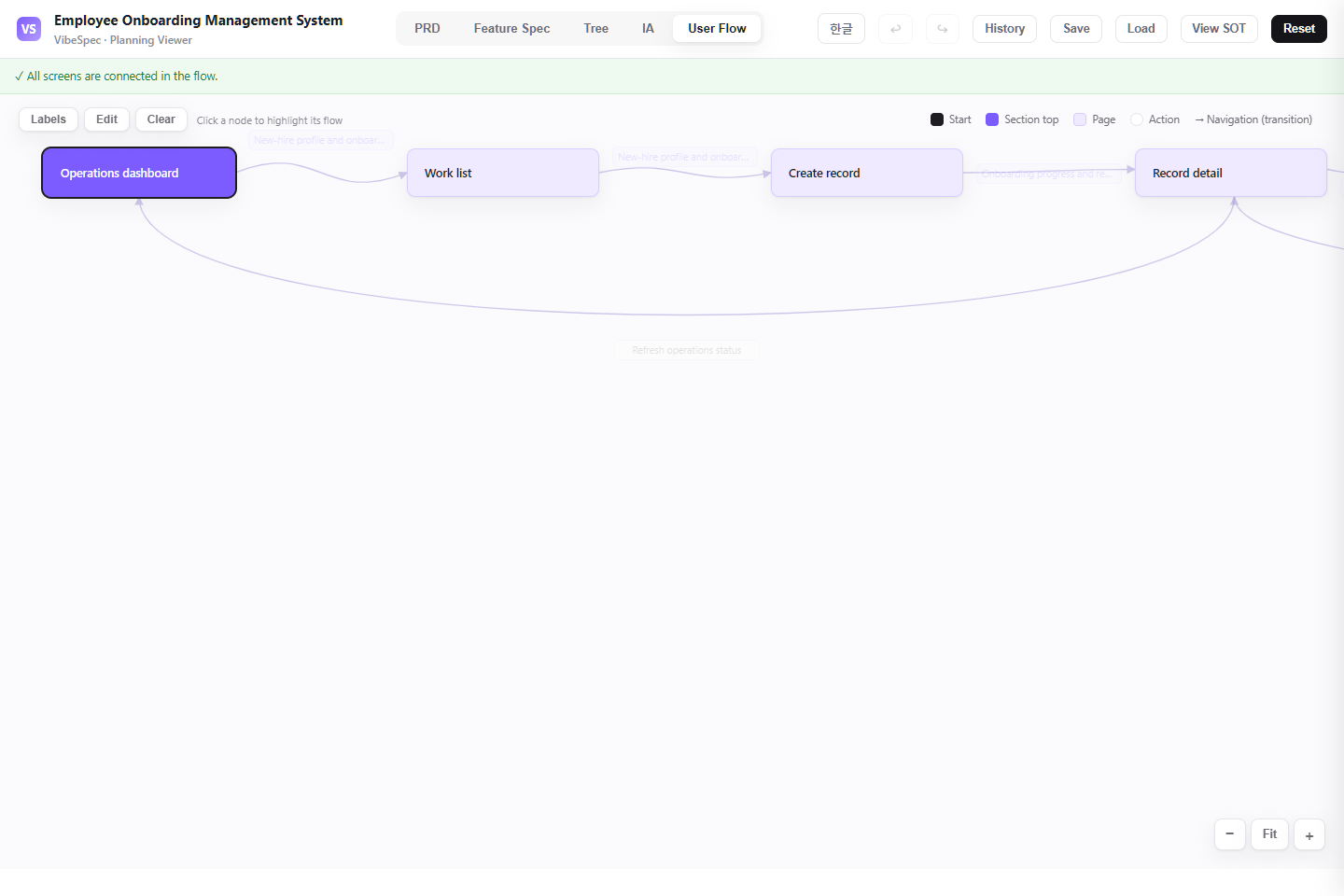 Open this screen in the live demo
 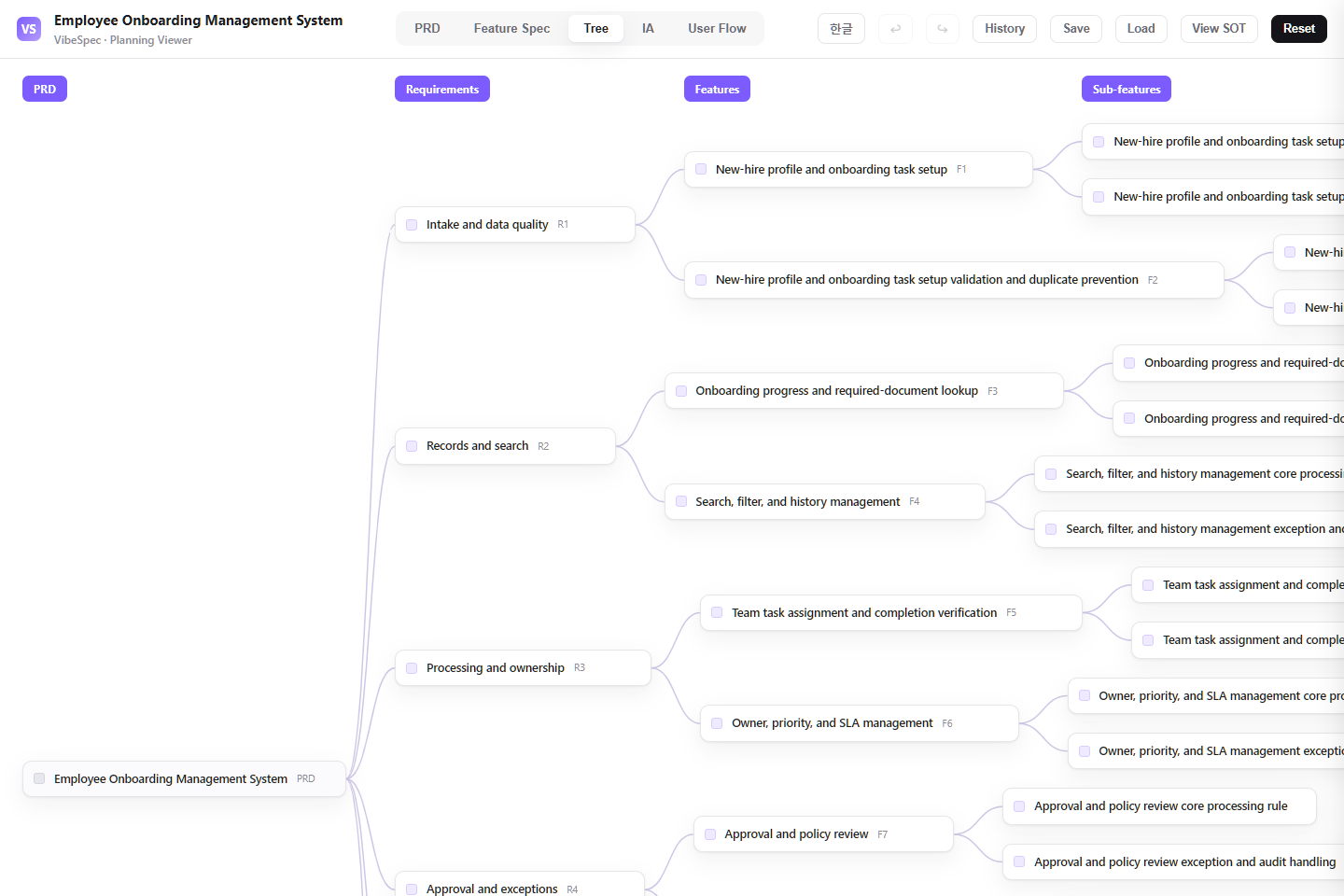 Open this screen in the live demo
 PRACTICAL GUIDE
Onboarding fails when HR, the manager, IT, the new hire, and required documents each track a different checklist. This SOT connects the new-hire profile, preboarding, task ownership, access readiness, completion evidence, and early progress reporting in one accountable plan.
Capture start date, role, location, manager, employment details, required documents, and the onboarding journey that applies to the hire.
Assign and track HR, manager, IT, facilities, payroll, and new-hire tasks with due dates, dependencies, reminders, and clear completion evidence.
Show missing documents, delayed provisioning, start-date changes, and tasks that need approval or reassignment before they become a day-one failure.
Review readiness by hire and department, overdue tasks, document completion, access delays, and the steps that repeatedly block a smooth start.
The download opens in a browser without setup. Compare the PRD, feature specification, screen structure, and user flow with the work your team does today.
Define which employee types use each journey, what must be complete before day one, which tasks can run in parallel, and who resolves a blocked task.
Attach the SOT JSON in Claude or Codex with the VibeSpec plugin and describe the change in plain language. VibeSpec keeps requirements, features, screens, and user flows connected.
Separate a full-time office hire, remote contractor, manager, and regulated role where their documents, equipment, training, or access requirements differ.
Distinguish the task doer, approver, and escalation owner so a checklist does not hide work between HR, IT, and the hiring manager.
Decide what proves each critical item is done: signed document, provisioned account, equipment handover, training confirmation, or manager review.
Define the authoritative employee record, start-date update rules, provisioning trigger, retry behavior, and audit trail before connecting HRIS or identity systems.
Add laptop, badge, desk, shipping, and return logistics as an initiative connected to the employee’s start date and assigned tasks.
Extend beyond day one with manager check-ins, pulse feedback, training completion, and retention-risk signals without mixing them into preboarding.
Adapt this onboarding plan for our organization. Ask about employee types, locations, start-date rules, document requirements, task owners, and day-one readiness criteria; then update the SOT together.Reduce this onboarding system to new-hire records, HR and manager tasks, document collection, IT access status, and completion reminders. Move HRIS integration and 30/60/90 follow-up into separate initiatives.Create an equipment-readiness initiative on top of this onboarding plan with device selection, approval, shipping or handover, asset assignment, and a day-one confirmation back to the onboarding checklist.Yes. The complete HTML opens in a browser for review and sharing. To adapt the plan, attach the SOT JSON to Claude or Codex with the VibeSpec plugin and describe the change in plain language.
It includes new-hire and journey setup, task ownership across HR and operational teams, documents and access readiness, exception handling, and reporting for completion, overdue work, and onboarding bottlenecks.
The HTML is a complete planning document for reading and sharing. The SOT JSON is source data that VibeSpec can update while keeping requirements, features, screens, and user flows connected.
For a discrete capability such as automation, integration, or additional analytics, create and review a separate initiative before changing the product plan broadly.
WORKFLOW