1. Define qualification before conversion
Suppose an inbound lead already belongs to an existing account. Decide whether to link it to that account or send it for duplicate review. Keep the owner and original source visible in either case.
FREE CLAUDE & CODEX PLUGIN TEMPLATE
What should you decide before building a custom CRM? Start with lead qualification, pipeline stages, account ownership, and follow-up rules. Explore this free CRM PRD example in your browser, then adapt its SOT JSON with VibeSpec.
Guide updated:
View source on GitHub · MIT licensed
USE CASE
Product managers, sales operations teams, and developers agreeing the scope of a custom CRM before requesting implementation from an AI coding assistant
CONTENTS
VIBESPEC VIEWER
Each screen is generated from the public SOT included with this template.
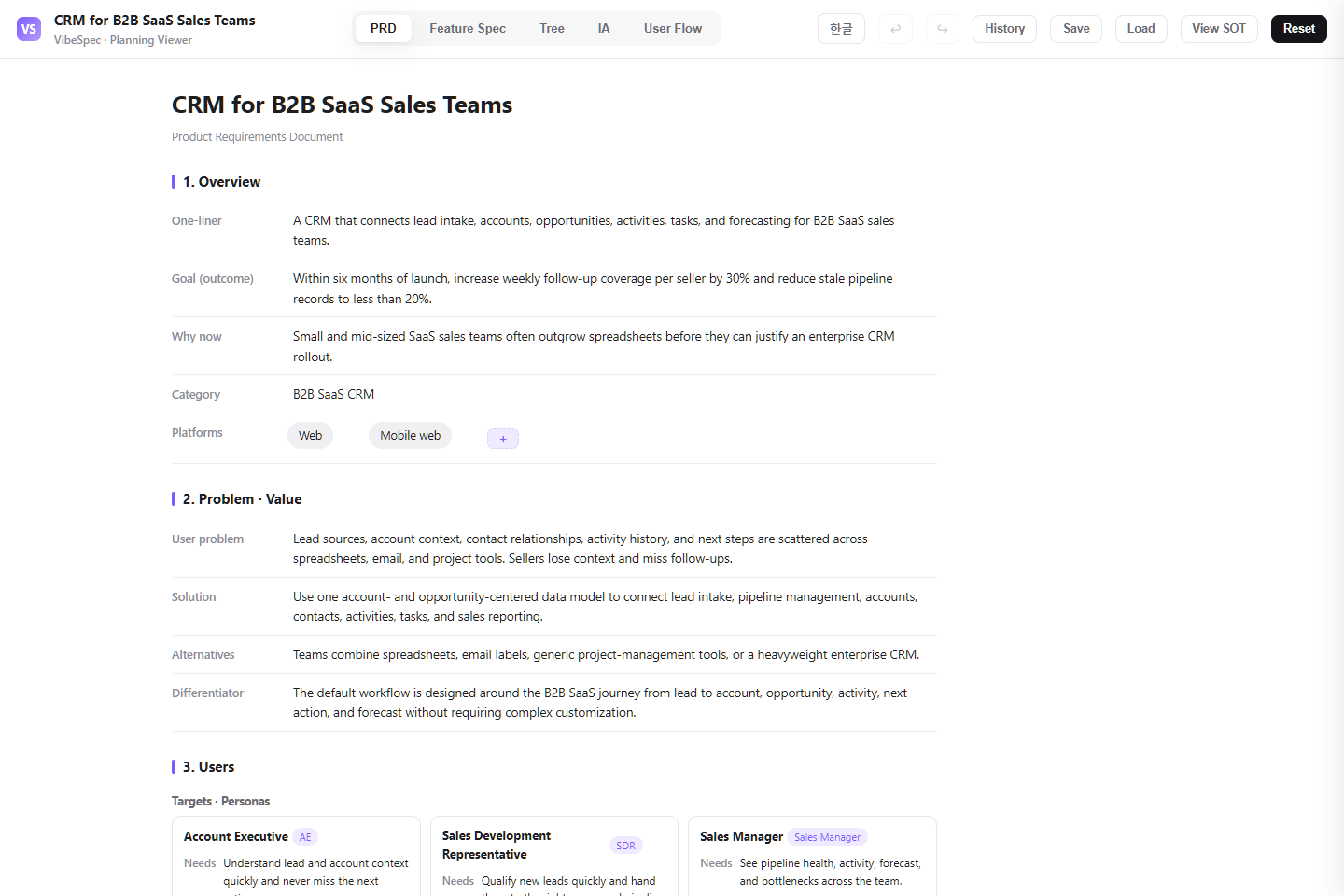 Open this screen in the live demo
 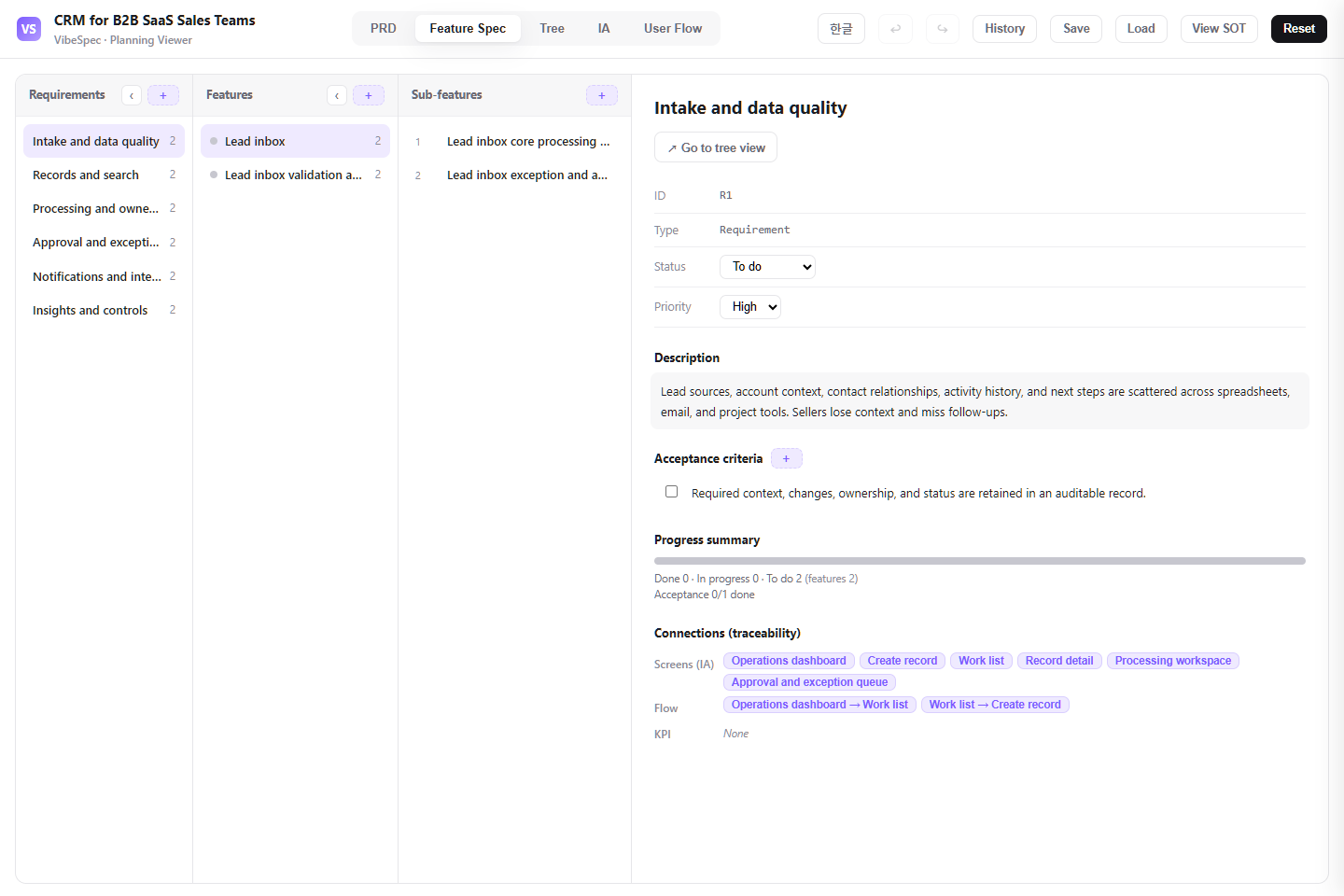 Open this screen in the live demo
 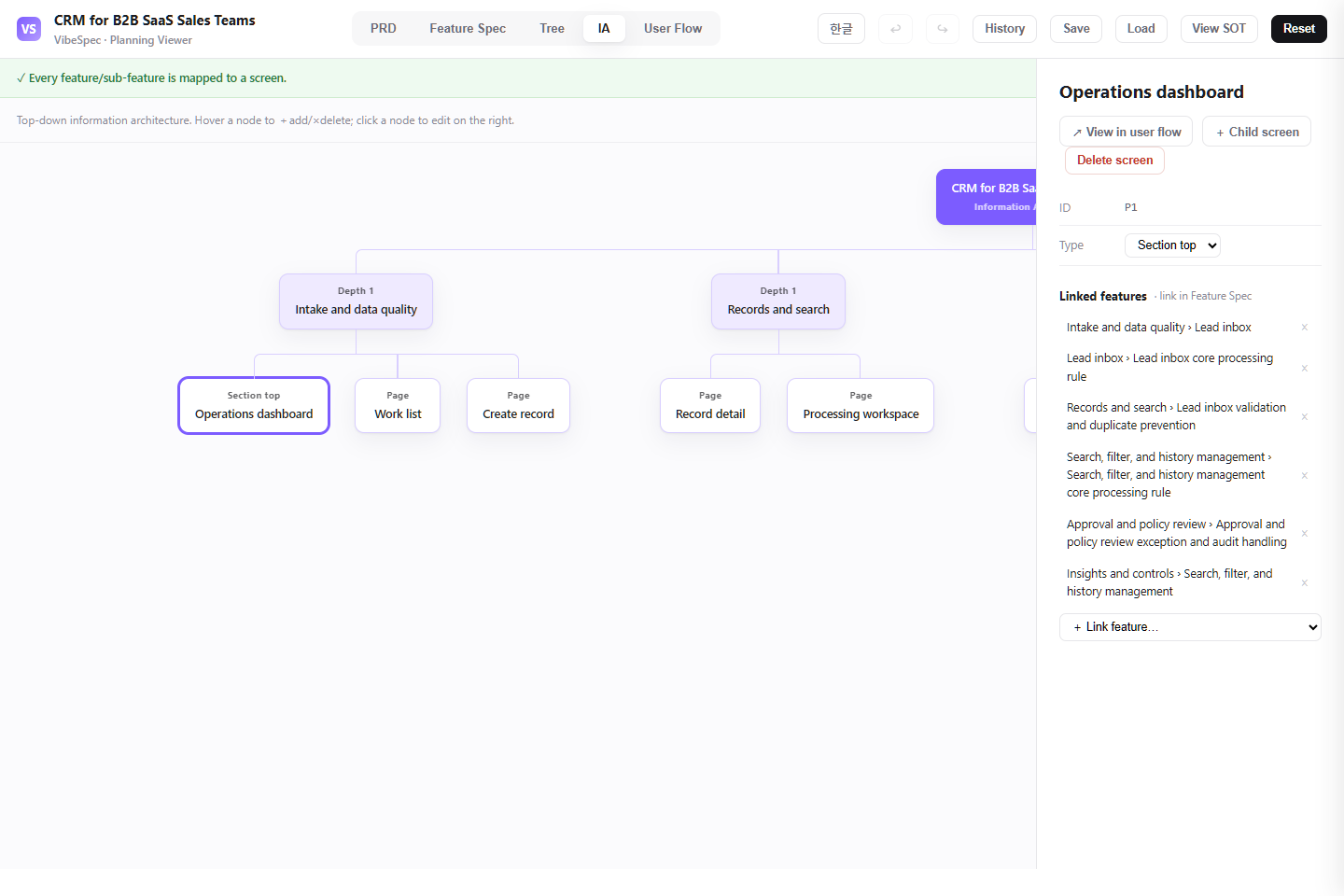 Open this screen in the live demo
 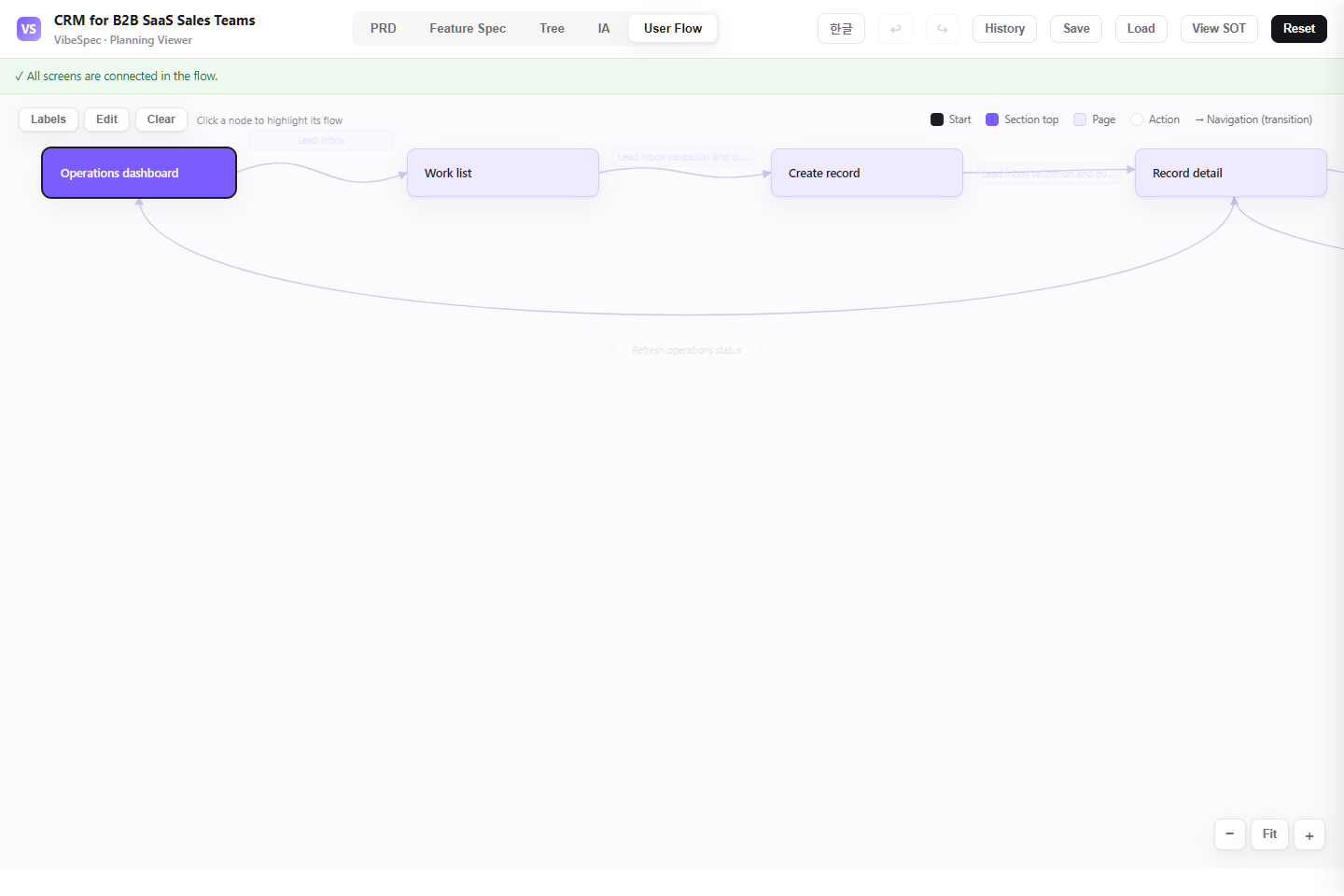 Open this screen in the live demo
 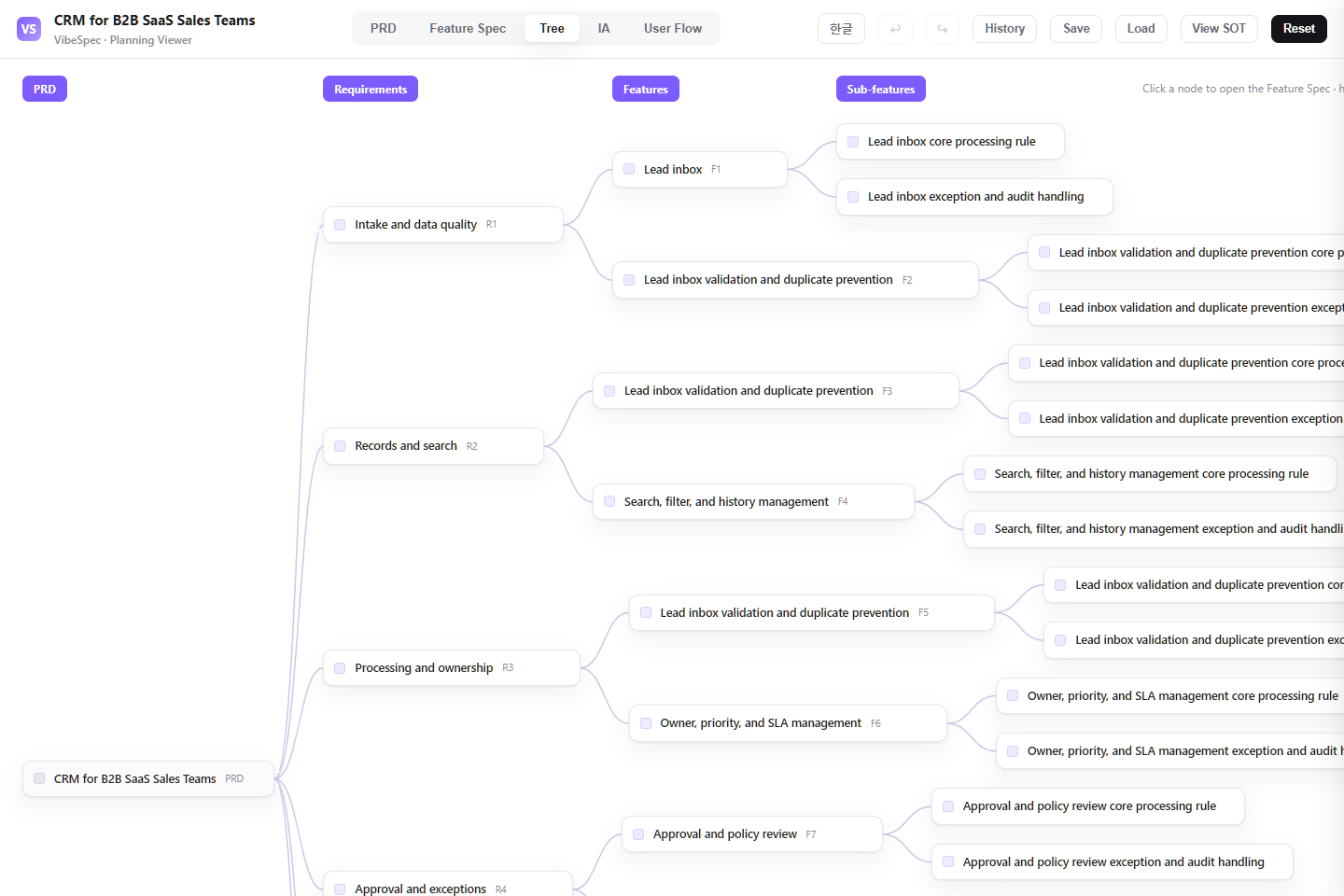 Open this screen in the live demo
 PRACTICAL GUIDE
Start with the sales problem and the boundaries in the PRD, then review the feature specification, screen structure, and user flow for missing business rules. Use HTML for a shared review and SOT JSON as the source for your next VibeSpec request. If you are buying an existing CRM, assess vendor capabilities, pricing, and security separately; this example does not compare suppliers.
Illustrative customization, not a measured customer result. Start with the supplied lead, pipeline, and activity plan, then decide these rules with the sales owner.
Suppose an inbound lead already belongs to an existing account. Decide whether to link it to that account or send it for duplicate review. Keep the owner and original source visible in either case.
For a trial-to-proposal transition, choose the information the seller must record: trial outcome, decision maker, next action, and due date. Treat these as proposed acceptance criteria to add to the SOT.
Walk through a lead that changes owner with an overdue task. Check which screen shows the task, who receives the handoff, and whether the previous activity history stays connected.
Capture leads from manual entry, CSV imports, web forms, and APIs; then review duplicates, qualification, and ownership before sales handoff.
Manage stages, amounts, close dates, deal health, stakeholders, and the next action from a shared pipeline and opportunity workspace.
Keep customer context connected through account and contact profiles, activity timelines, follow-up tasks, due dates, and reminders.
Include dashboards, operational alerts, configurable sales process settings, role-based access, automation, global search, and forecast drill-down.
The downloaded HTML opens in a browser without setup. Review the PRD, feature specification, information architecture, and user flow with your team.
Write down your real pipeline stages, lead sources, required fields, ownership rules, and success metrics. Start with the core sales workflow rather than every possible integration.
Attach the SOT JSON in a conversation with the VibeSpec plugin and describe the change in plain language. VibeSpec can keep requirements, features, screens, and user flows connected while preparing the change.
Replace generic terms and pipeline stages with the terms your team actually uses. Confirm which stage requires a next action, a close date, or a decision-maker.
Define the required data at each stage, duplicate rules, lead ownership, and follow-up expectations. These choices become acceptance criteria instead of tribal knowledge.
Check where SDRs, AEs, sales managers, and RevOps begin and what they do next. When you add a screen, connect its feature and user-flow transition as well.
Create a separate initiative for ICP rules, scoring signals, priority queues, and automatic assignment while preserving the existing qualification workflow.
Define activity capture, meeting-driven task creation, consent, audit logs, and disconnect behavior before adding external integrations.
Add task and alert rules for stage changes, stale activity, and approaching deadlines, then extend the plan with commit categories and pipeline coverage.
Adapt this CRM SOT for a five-person B2B SaaS sales team. Keep lead intake, pipeline, accounts, activities, and tasks; move forecast and automation out of the initial scope.Create a separate initiative on top of this CRM product plan for rules-based lead scoring and automatic owner assignment. Keep the connection to the existing lead qualification screens.Our sales stages are discovery, trial, proposal, contract review, and closed won. Review this CRM plan and identify the requirements, screens, user flows, and KPIs that should change.Yes. The complete HTML opens in a browser for review and sharing. To adapt the plan, attach the SOT JSON to a conversation with the VibeSpec plugin and describe the change in plain language.
It includes lead management, pipeline and opportunities, accounts and contacts, activities and follow-up tasks, dashboards and operating controls, plus foundations for settings, access, automation, search, and forecast.
The HTML is a complete planning document for reading and sharing. The SOT JSON is the source data that VibeSpec can update while keeping requirements, features, screens, and user flows connected.
For a discrete capability such as lead scoring or an email integration, create and review it as a separate initiative before changing the product plan broadly.
It is a CRM PRD and requirements template. The HTML demo displays the plan; it does not store live customer records or run a sales pipeline. Use the SOT to agree scope and request implementation separately.
Use it as a review starting point. Confirm your sales stages, required fields, permissions, migration scope, and exceptions with the team. Give the SOT JSON to VibeSpec, review the revised acceptance criteria and open questions, then request implementation separately. The template does not certify a complete specification for every CRM.
WORKFLOW