1. Separate ordered and received quantities
Suppose a purchase order contains 100 units and the warehouse receives 60. Decide how the outstanding 40 are shown and which record proves the receipt.
FREE CLAUDE & CODEX PLUGIN TEMPLATE
Define how orders, purchasing, inventory, and finance share records before building an ERP. This free ERP PRD provides a connected requirements baseline, an HTML planning viewer, and editable SOT JSON.
Guide updated:
View source on GitHub · MIT licensed
USE CASE
Teams designing an internal operations system for business operations practitioner managing finance, procurement, sales, and inventory together and erp operations and business-transformation coordinator
CONTENTS
VIBESPEC VIEWER
Each screen is generated from the public SOT included with this template.
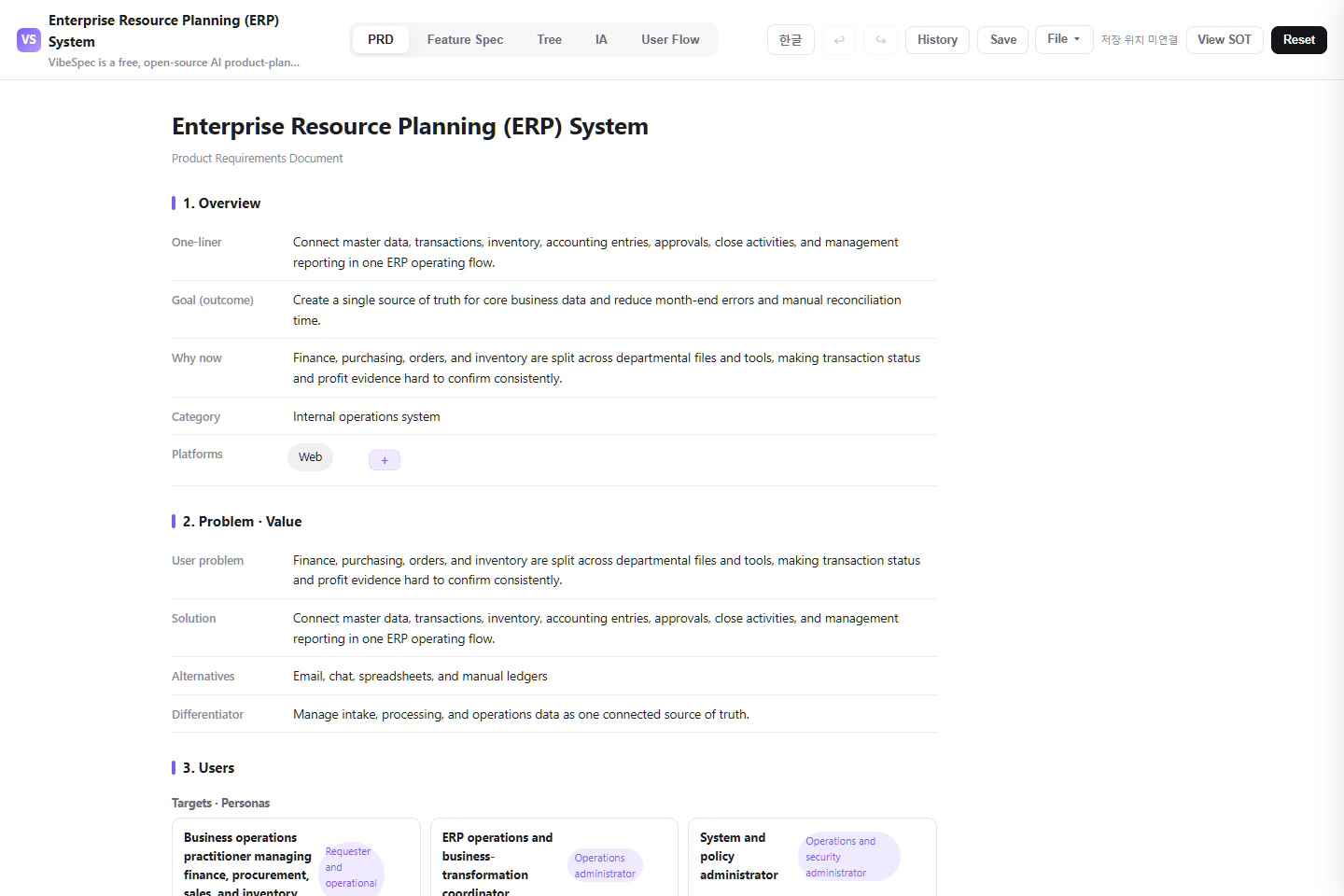 Open this screen in the live demo
 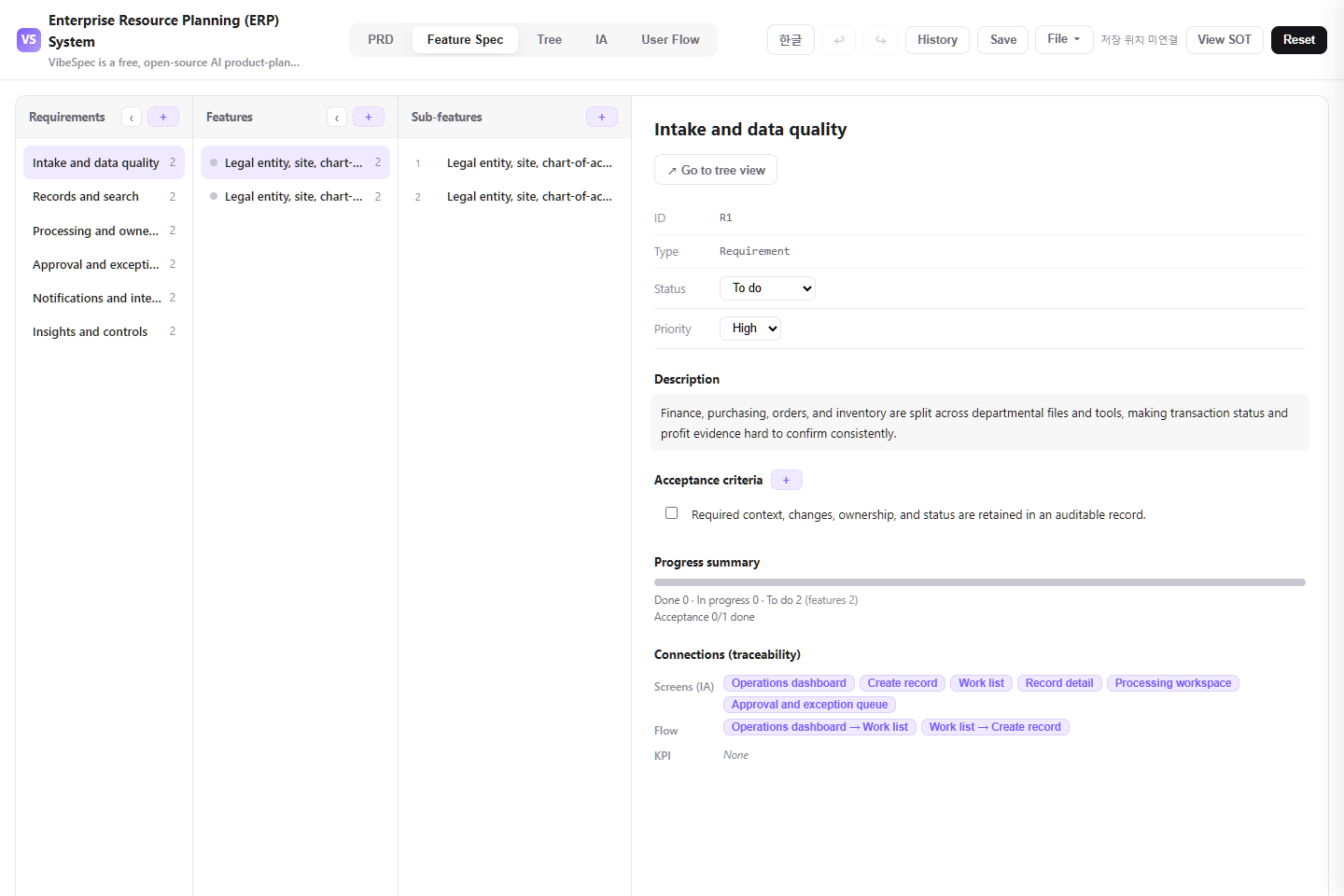 Open this screen in the live demo
 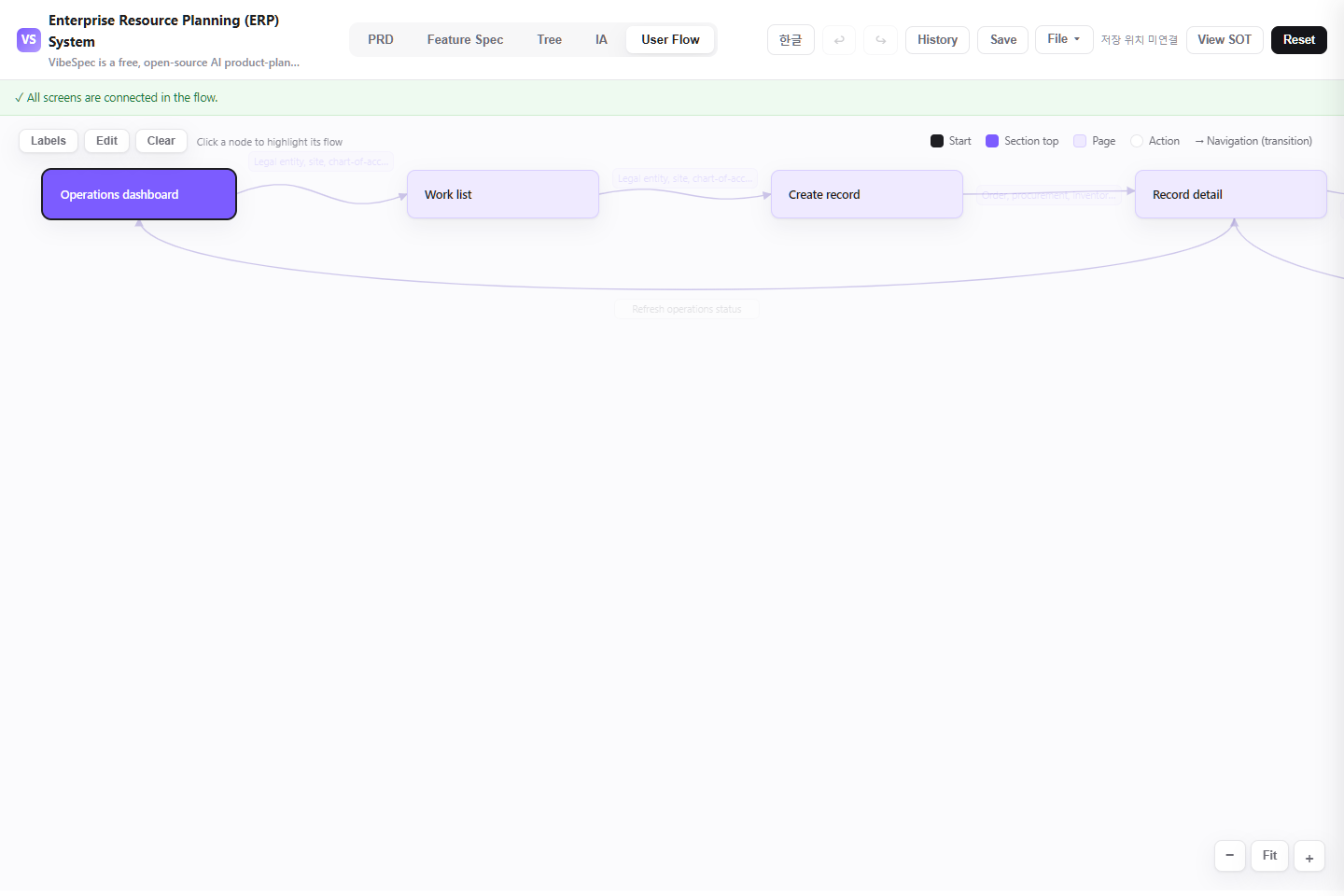 Open this screen in the live demo
 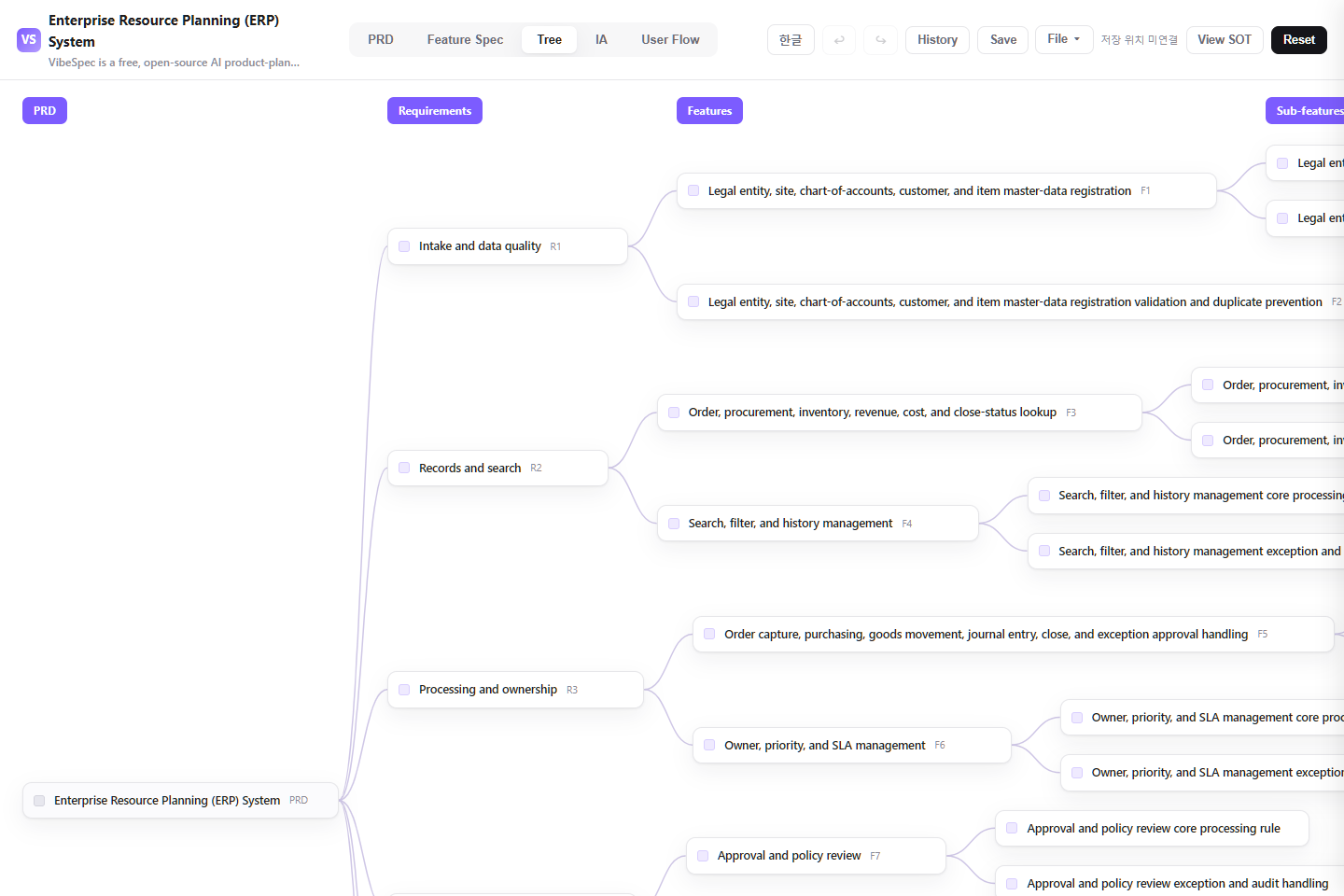 Open this screen in the live demo
 PRACTICAL GUIDE
This Enterprise Resource Planning (ERP) System connects legal entity, site, chart-of-accounts, customer, and item master-data registration, order, procurement, inventory, revenue, cost, and close-status lookup, order capture, purchasing, goods movement, journal entry, close, and exception approval handling, and revenue, cost, inventory, cash-flow, close, and operating-status reporting in one SOT-based planning document. Use the complete HTML to review and share the plan, then adapt the SOT JSON with the VibeSpec plugin in Claude or Codex.
An illustrative requirements exercise for a business workshop. Quantities and rules below are proposed decisions, not functionality proven by the demo.
Suppose a purchase order contains 100 units and the warehouse receives 60. Decide how the outstanding 40 are shown and which record proves the receipt.
Ask purchasing, warehouse operations, and finance what evidence is required before the transaction moves to the next step. Record how a quantity mismatch is reviewed rather than silently marking the order complete.
Walk through a receipt correction after the reporting cutoff. Define who can approve the correction and what history is retained; have the finance owner determine the accounting treatment.
The source covers legal entities, sites, accounts, customers, and items. Review which team owns each record and how changes reach sales, purchasing, inventory, and finance.
Orders, procurement, inventory, revenue, cost, and close status are connected planning areas. Agree how users follow a transaction across departments instead of treating each screen as an independent ledger.
Order capture, purchasing, goods movement, journal entries, close, and exception approval form the operating scope. Identify the owner at each handoff and where a rejected or corrected transaction returns.
The plan covers revenue, cost, inventory, cash flow, close, and operating reports. Define their source records and reconciliation checkpoints with the responsible business teams before implementing calculations.
Use the role, permission, and audit foundations to identify who may create, approve, correct, or close a transaction. Detailed financial and local statutory rules still need qualified business review.
The download opens in a browser without setup. Compare the PRD, feature specification, screen structure, and user flow with the work your team does today.
Write down real user roles, required data, approval rules, exceptions, and success metrics. Start with the core flow from legal entity, site, chart-of-accounts, customer, and item master-data registration through order capture, purchasing, goods movement, journal entry, close, and exception approval handling.
Attach the SOT JSON in Claude or Codex with the VibeSpec plugin and describe the change in plain language. VibeSpec keeps requirements, features, screens, and user flows connected.
Start with order-to-fulfillment or purchase-to-receipt. List the departments, source records, and handoffs involved before adding more modules.
Define when an order is open, partially fulfilled, corrected, cancelled, or ready for close. Use the same state meanings in screens, reports, and exception handling.
Name who may create an item, customer, or account and how duplicates are reviewed. Treat migration mapping, opening balances, and reconciliation as a separate reviewed implementation scope.
Plan supplier master-data synchronization and purchase-order acknowledgements. Include unmatched items, partial receipts, duplicate messages, and ownership of reconciliation.
Add warehouse integration only after deciding which system owns stock quantities, movement identifiers, and corrections. Document how rejected or delayed movements are reconciled.
Extend close reporting with links back to source transactions and reviewed exceptions. Agree calculation and sign-off rules with finance before implementing additional reports.
Using this ERP SOT, model a purchase order of 100 units with a receipt of 60. Ask purchasing, warehouse, and finance for open-quantity, mismatch, and correction rules. Propose acceptance criteria and connect only the affected requirements, screens, and flows.Reduce this ERP PRD to purchasing, receiving, stock visibility, and finance handoff. Identify shared master data and keep payroll, tax filing, and complex manufacturing outside this initial scope.Review this ERP plan for corrections made after an agreed reporting cutoff. Ask who approves them, what history must remain, and how reports show the change. Leave accounting treatment as a decision for the finance owner.Yes. The complete HTML opens in a browser for review and sharing. To adapt the plan, attach the SOT JSON to Claude or Codex with the VibeSpec plugin and describe the change in plain language.
It includes legal entity, site, chart-of-accounts, customer, and item master-data registration, order, procurement, inventory, revenue, cost, and close-status lookup, order capture, purchasing, goods movement, journal entry, close, and exception approval handling, and revenue, cost, inventory, cash-flow, close, and operating-status reporting, plus foundations for access, audit history, notifications, and integrations.
The HTML is a complete planning document for reading and sharing. The SOT JSON is source data that VibeSpec can update while keeping requirements, features, screens, and user flows connected.
For a discrete capability such as automation, integration, or additional analytics, create and review a separate initiative before changing the product plan broadly.
No. The downloads are a PRD and connected planning source. Production ERP requires implementation, access controls, data migration, reconciliation, and business acceptance testing. The template helps teams define that scope.
WORKFLOW